| Name |
|---|
| 📁docs |
| 📄commercialization.md |
| 📄design.md |
| 📄design.zh.md |
| 📄product.md |
| 📄product.zh.md |
| 📄protocol-design.md |
| 📄protocol-design.zh.md |
| 📄protocol-spec.md |
| 📄protocol-spec.zh.md |
| 📄README.md |
| 📄README.zh.md |
iotta
One self-hosted platform to build, test, and run voice AI on your devices — from day-one simulation to a production fleet.



iotta is the server that turns an embedded device into a voice assistant — it receives audio from a device, runs it through a speech-recognition → language-model → speech-synthesis pipeline, dispatches tool calls, and streams synthesized speech back. It is also the development environment the same teams use to build that assistant: the same server runs from pre-hardware simulation, through prototype bring-up, to the production fleet. There is no separate test tool, and no re-integration between stages.
iotta contains no product-specific knowledge — any voice AI product can be built on it without modifying the platform.
Why iotta
- One platform across the whole lifecycle — simulate before hardware exists, then carry the exact behavior forward to the field.
- AI and firmware teams work in parallel against one versioned tool contract.
- Self-hosted, provider-agnostic, observable — one container on a small box, swap OpenAI or local models by config, TLS on by default, safe staged OTA with auto-rollback.
See docs/product.md for the full case, the feature catalog, and a
side-by-side comparison with xiaozhi.
The operator UI
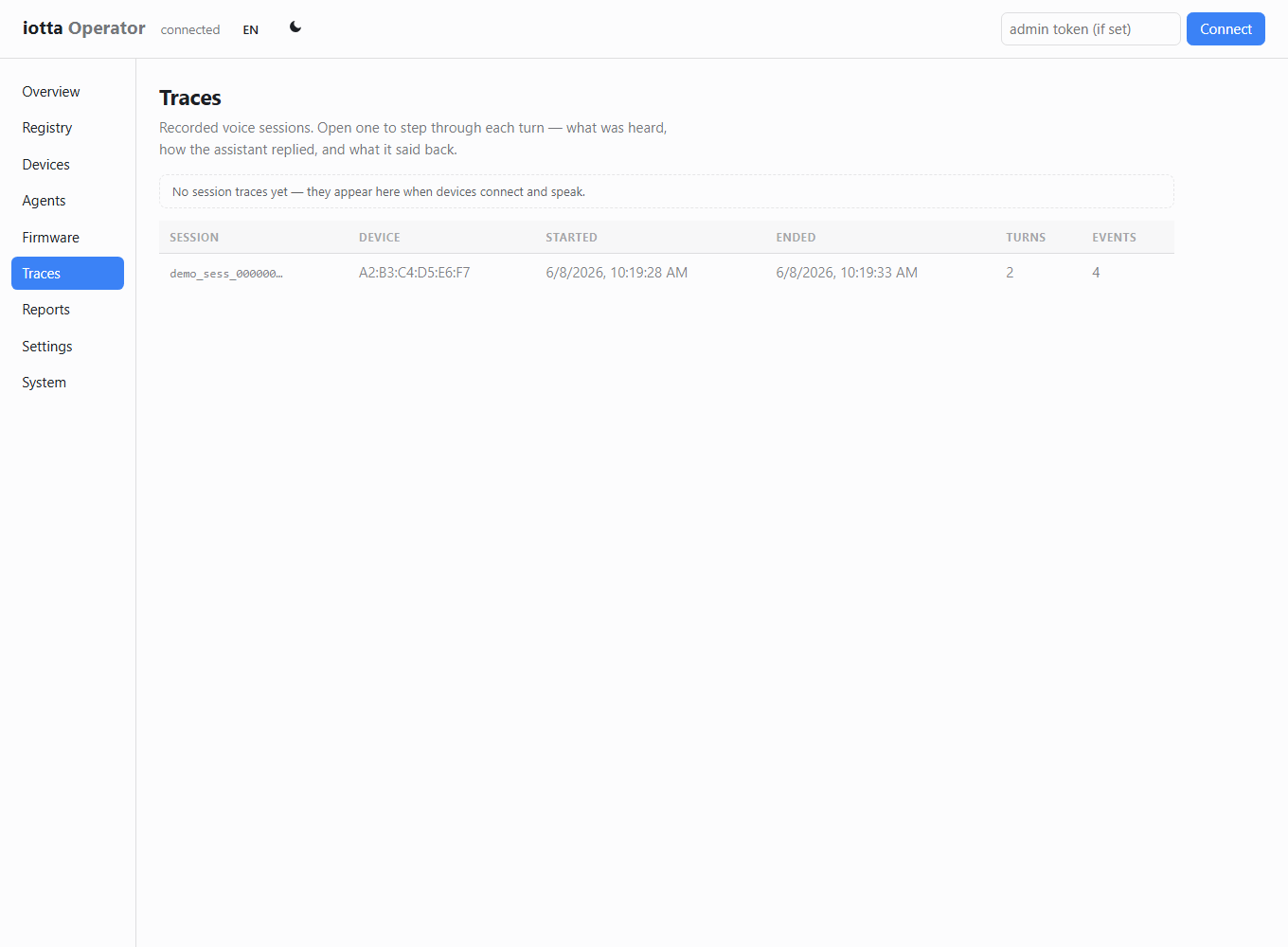
Every administrative operation runs in the browser, served by the platform itself — no separate install. (Screenshots show the built-in empty-state demo content.)
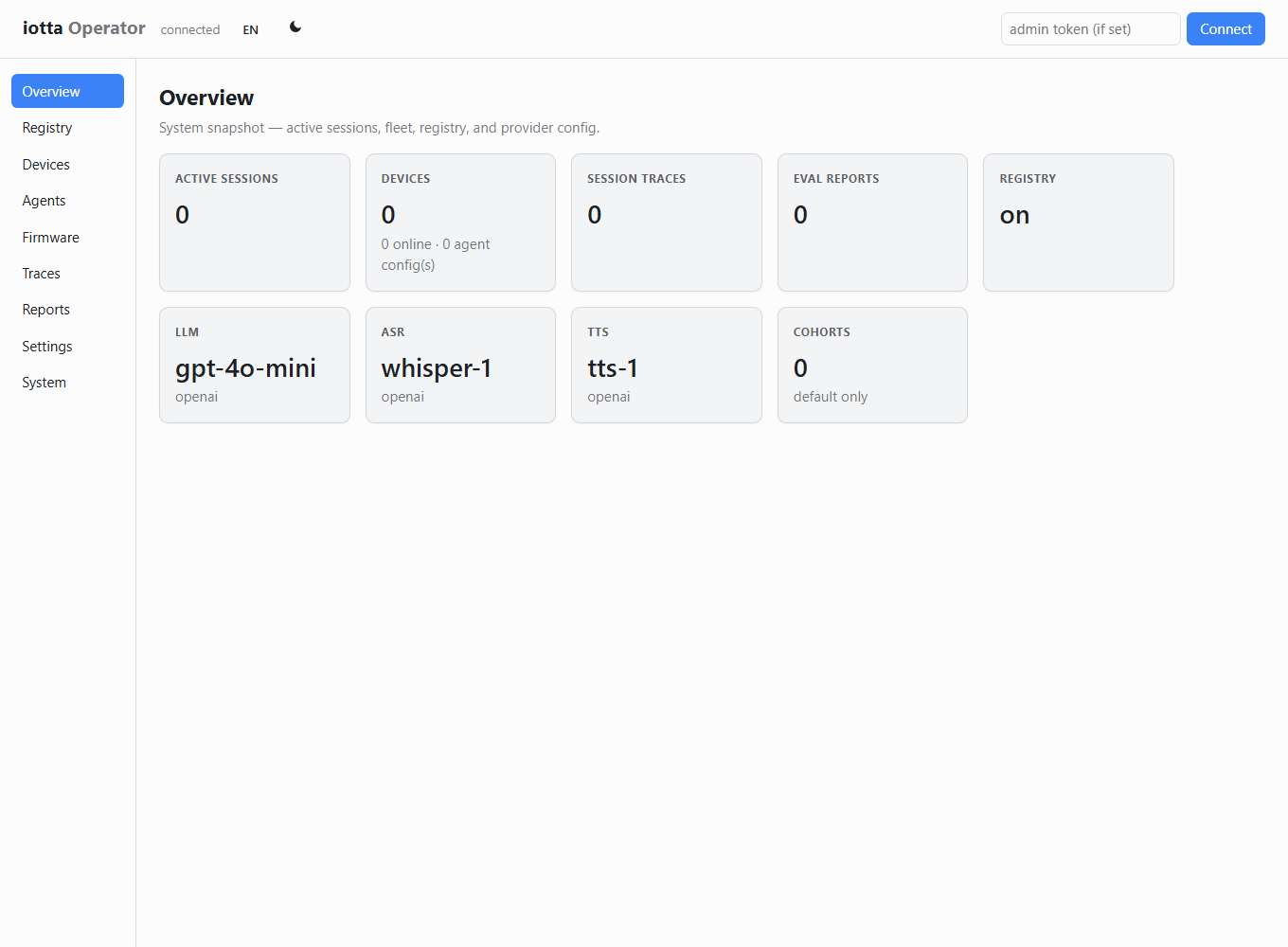
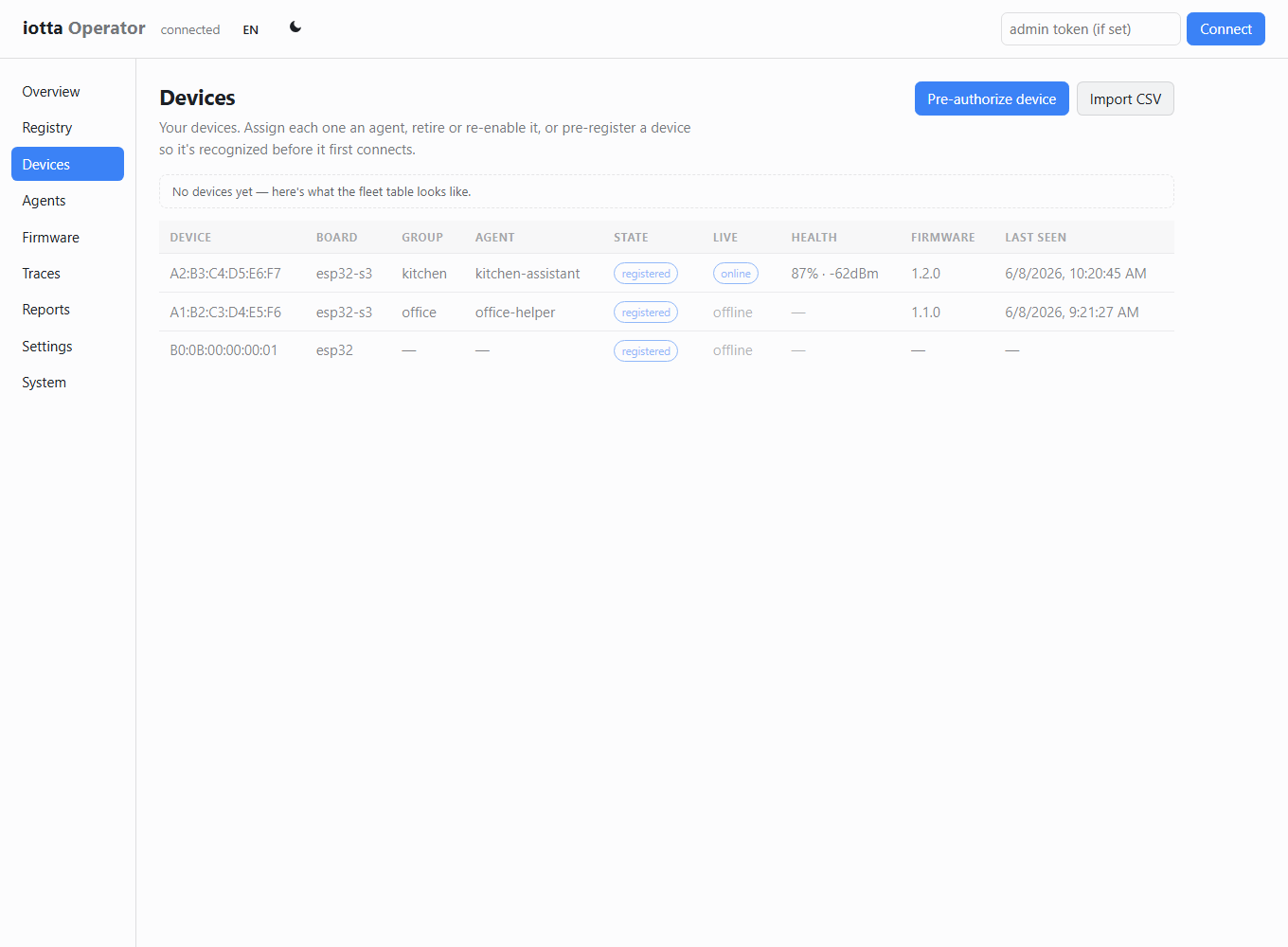 |
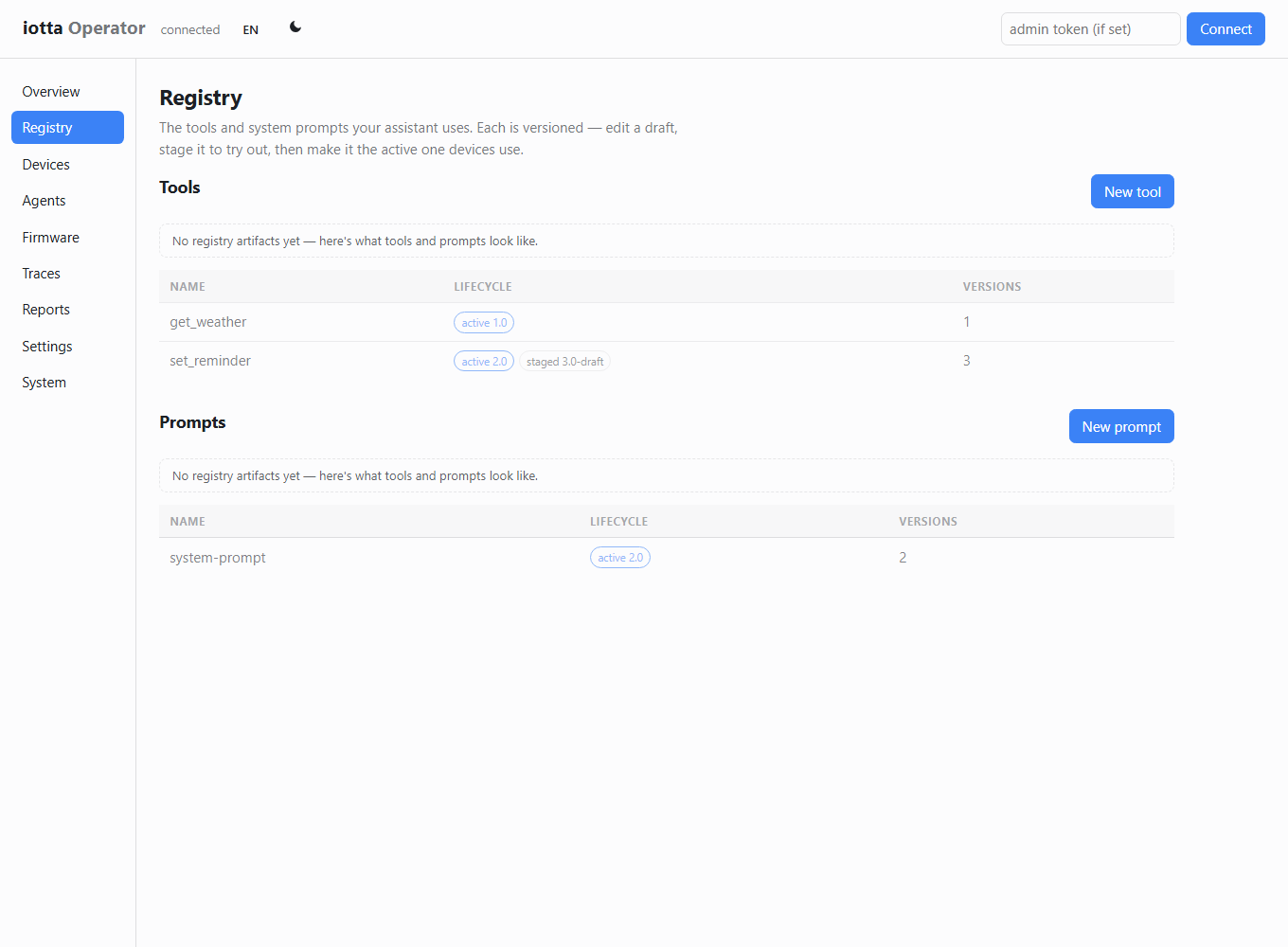 |
|---|---|
| Devices & fleet liveness | Tool & prompt registry |
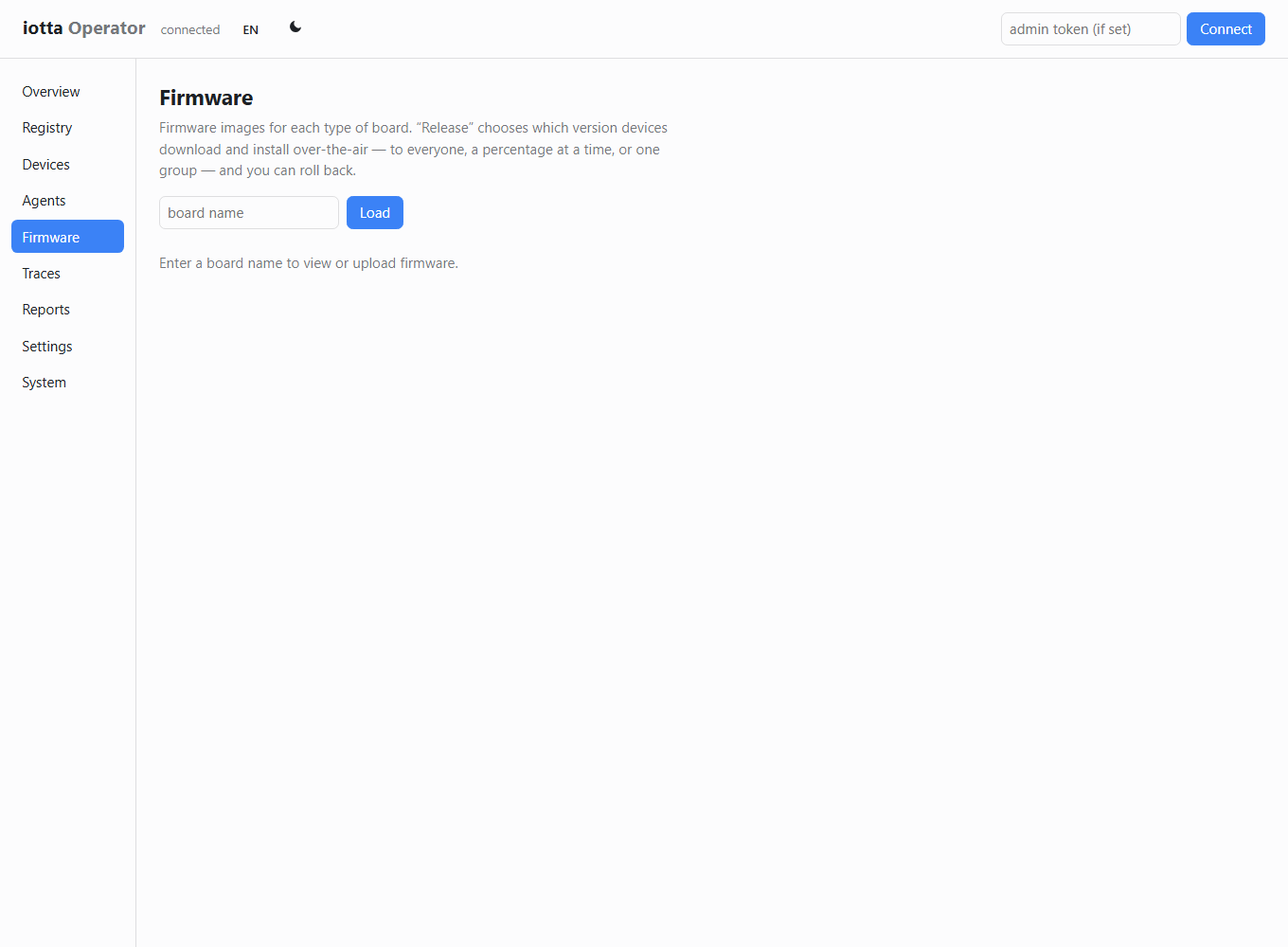 |
 |
|---|---|
| Firmware rollout | Session traces |
Quick start
Docker (recommended)
cp config.example.yaml config.yaml     # edit paths/secrets as needed
cp .env.example .env                    # set OPENAI_API_KEY (and tokens)
docker compose up
The operator UI is then served at http://localhost:8000/ (redirects to /ui).
From source (development)
# System dependencies
apt install libopus-dev libportaudio2   # Linux
brew install opus portaudio             # macOS

# Server
cd server
pip install uv
uv pip install -e ".[dev,audio]"
cp config.example.yaml config.yaml      # fill in your API keys
IOTTA_CONFIG=config.yaml iotta          # serves the API + UI on :8000

# Client (software device simulator)
cd ../client
uv pip install -e .
iotta-client --server ws://localhost:8000/session
Command-line tools
The server package installs operator CLIs alongside the server:
| Command | Purpose |
|---|---|
iotta |
Run the session server + operator UI |
iotta-registry |
Manage tool/prompt versions and promotion |
iotta-eval |
Run scored eval suites |
iotta-devices |
Devices, agents, firmware, OTA rollout/rollback |
iotta-doctor |
Preflight: stores, disk, auth posture, provider keys |
iotta-backup / iotta-restore |
Consistent snapshot ↔ restore (one .tar.gz) |
Environment variables
| Variable | Purpose |
|---|---|
OPENAI_API_KEY |
ASR (Whisper), LLM, TTS via OpenAI (reference provider) |
IOTTA_CONFIG |
Path to config YAML (default: config.yaml) |
IOTTA_ADMIN_TOKEN |
Bearer token gating the /admin operator API |
IOTTA_SESSION_TOKEN |
Shared device session token (per-device tokens also supported) |
Repository structure
server/              # FastAPI session server + operator UI
  src/iotta/         # main package
  src/iotta/web/     # operator UI (static ES modules, no build step)
  tests/             # pytest suite (no external deps required)
client/              # software device client (mic → Opus → speaker)
deploy/              # reverse-proxy examples (Caddy, nginx)
docs/                # design, product, protocol, subsystem references
Tests
cd server
PYTHONPATH=src python -m pytest tests/ -v
Tests run without system audio libraries (opuslib is mocked) and require no network.
Documentation
| Doc | Purpose |
|---|---|
docs/product.md |
What iotta is, for whom, and how it compares |
docs/design.md |
Engineering vision and design principles |
docs/protocol-spec.md |
Wire protocol — normative message reference |
docs/protocol-design.md |
Protocol rationale + firmware port guide (from xiaozhi) |
docs/commercialization.md |
Open-core model, editions, device-cap design |
CONTRIBUTING.md |
How to contribute (incl. the changelog policy) |
CHANGELOG.md |
Release & change history |
Licensing & editions
iotta is dual-licensed open-core:
- Core source — FSL-1.1-ALv2 (Functional Source License): free to use, modify, and self-host, including internal and non-competing commercial use; converts to Apache-2.0 two years after each release.
- Paid edition — a commercial license (activated by a license key) for operating beyond the built-in device cap and using the commercial-only features.
The free Community edition is the full development platform, capped at a small number of
active devices for demos, solo use, and evaluation. See
docs/commercialization.md. The core always runs with no
required cloud dependency.
iotta
一体化自托管平台,用于在嵌入式设备上构建、测试和运行语音 AI——从第一天的仿真模拟,到生产环境的设备群管理。
iotta 是将嵌入式设备变成语音助手的服务器——它接收设备发来的音频,通过语音识别 → 大语言模型 → 语音合成流水线进行处理,调度工具调用,并将合成语音流式返回给设备。同时,iotta 也是开发环境,供同一个团队构建该助手:同一台服务器贯穿从无硬件的仿真模拟、原型调试,到生产环境部署的全过程,无需单独的测试工具,也无需在各阶段之间重新集成。
iotta 不包含任何产品相关的特定知识——任何语音 AI 产品都可以直接构建于其上,无需修改平台本身。
为什么选择 iotta
- 一个平台贯穿完整生命周期——硬件存在之前就能仿真,再将完全一致的行为带到现场。
- AI 团队与固件团队基于同一份版本化工具契约并行开发。
- 自托管、不绑定提供商、全面可观测——在一台小型主机上以单容器运行,通过配置切换 OpenAI 或本地模型,默认开启 TLS,并配合支持自动回滚的安全分阶段 OTA。
完整介绍、功能详述以及与 xiaozhi 的对比,请参阅 docs/product.md(中文版)。
运营 UI
所有管理操作均在浏览器中完成,由平台自身提供,无需单独安装。(截图中为内置的空状态演示内容。)
|
|
|---|---|
| 设备与设备群在线状态 | 工具与提示词注册表 |
|
|
|---|---|
| 固件灰度发布 | 会话追踪 |
快速开始
Docker(推荐)
cp config.example.yaml config.yaml     # 按需修改路径和密钥
cp .env.example .env                    # 填写 OPENAI_API_KEY(及各类令牌)
docker compose up
运营 UI 随即在 http://localhost:8000/(会自动跳转至 /ui)提供服务。
从源码运行(开发模式)
# 系统依赖
apt install libopus-dev libportaudio2   # Linux
brew install opus portaudio             # macOS

# 服务端
cd server
pip install uv
uv pip install -e ".[dev,audio]"
cp config.example.yaml config.yaml      # 填写 API 密钥
IOTTA_CONFIG=config.yaml iotta          # 在 :8000 启动 API + UI

# 客户端(软件设备模拟器)
cd ../client
uv pip install -e .
iotta-client --server ws://localhost:8000/session
命令行工具
服务端包安装时会同时安装以下运维 CLI:
| 命令 | 用途 |
|---|---|
iotta |
运行会话服务器 + 运营 UI |
iotta-registry |
管理工具/提示词版本及晋升 |
iotta-eval |
运行有评分的评测套件 |
iotta-devices |
设备、智能体、固件、OTA 灰度/回滚 |
iotta-doctor |
预检:存储、磁盘、认证状态、提供商密钥 |
iotta-backup / iotta-restore |
一致性快照 ↔ 恢复(单个 .tar.gz) |
环境变量
| 变量 | 用途 |
|---|---|
OPENAI_API_KEY |
通过 OpenAI 使用 ASR(Whisper)、LLM、TTS(参考提供商) |
IOTTA_CONFIG |
配置 YAML 的路径(默认:config.yaml) |
IOTTA_ADMIN_TOKEN |
管控 /admin 运营 API 的 Bearer 令牌 |
IOTTA_SESSION_TOKEN |
共享设备会话令牌(同时支持按设备独立令牌) |
代码仓库结构
server/              # FastAPI 会话服务器 + 运营 UI
  src/iotta/         # 主包
  src/iotta/web/     # 运营 UI(静态 ES 模块,无需构建步骤)
  tests/             # pytest 测试套件(无需外部依赖)
client/              # 软件设备客户端(麦克风 → Opus → 扬声器)
deploy/              # 反向代理配置示例(Caddy、nginx)
docs/                # 设计、产品、协议、各子系统参考文档
运行测试
cd server
PYTHONPATH=src python -m pytest tests/ -v
测试无需系统音频库(opuslib 已 mock),也不需要网络连接。
文档
| 文档 | 用途 |
|---|---|
docs/product.md |
iotta 是什么、面向谁、与竞品对比(中文版) |
docs/design.md |
工程愿景与设计原则(中文版) |
docs/protocol-spec.md |
通信协议——规范性消息参考(中文版) |
docs/protocol-design.md |
协议设计原理 + 固件移植指南(来自 xiaozhi)(中文版) |
docs/commercialization.md |
开放核心模式、版本规划、设备上限设计 |
CONTRIBUTING.md |
贡献指南(含变更日志规范) |
CHANGELOG.md |
发布历史与变更记录 |
授权与版本
iotta 采用双重授权的开放核心模式:
- 核心源码——FSL-1.1-ALv2(Functional Source License):可自由使用、修改和自托管,包括内部及非竞争性商业用途;每次发布两年后自动转换为 Apache-2.0。
- 商业版——商业许可证(通过许可证密钥激活):用于超出内置设备上限的运营,以及使用仅限商业版的功能。
免费社区版是完整的开发平台,活跃设备数量有上限,适用于演示、个人使用和评估。详见 docs/commercialization.md。核心版本始终可在无需任何云依赖的情况下运行。